
Preston County PSD #4
Phone # 304-379-3130
DEPOSITS AND TAP FEES MUST BE MADE IN THE OFFICE WITH CASH OR CHECK,
(OR) BY MAIL IF NOT LOCAL, WITH CHECK ONLY! (Contact office for more info if not Local)
Payments can be made by ACH & Credit Card
All Major Credit Cards (or logo) Will be Accepted
Mutiple accounts will have to made in separate trasaction.
Fees:
Up$50-$1.95
$50-$100-2.75
$100-$5,000- 2.75%
ACH with Checking or Savings payments:Free
PAY BY PHONE:
304-381-5370
WHEN MAKING ONLINE PAYMENTS BE ADVISED:
FEE FOR CREDIT WILL BE PROCESSED SEPARATE FROM WATER PAYMET
PROCESSING TIME could take up to 24 HOURS
Basic How To Use Paystar Website
To Set up Paystar for the first time.
1- Your 4 digit Account number in first box
2- First three letters of account holders name(if personal) once in the account! You can make payment without setting up an account, or select create account in top right-hand corner of the screen on desktop( or three dots in right hand corner on phone/ tablet)
1. Follow prompts for name and email. Accept terms ant Create account
2. Go to e-mail you put in and follow link from email to confirm address. (Only good for 24 hours)
3. Create password on link email takes you to.
4. Next time you log in select, “already registered, log in with email”
To Make payment: (If Have account start from setp 1) (Quick pay skip to step 3)
1. Log in
2. Select make payment
3. Select amount to pay or choose to pay different amount
4. Chose “credit/debit” or “echeck” (Card will have fees from disclaimer; echeck free)
5. Follow prompts if you want to use again make sure to “save for future use”
a. Credit- put in card and account holder information
b. Echeck- Move thru the options
- personal or business
- Checking or saving
- Input: Bank accountholders name
- Routing number
- Account number
- Confirm account number
- Zip code associated with account
6. Review and confirm
Multiple accounts
1. Add account/ +
2. Account number
3. First 3 letters last name
4. Finish the prompts
5. If done correctly account screen will show both accounts ( you must pay separately
You may choose to do ebilling or autopay form the account screens
*** Paystar communicates with our billing software if you see a different amount after the 20th we are preparing for next billing cycle and your E-bill and/ or paper post card will be sent out shortly thereafter.
Digital copy of Post Card
**You MUST Create an online accout to view **
Option 1-
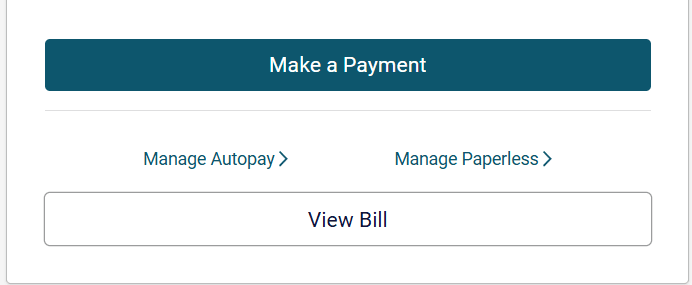
-Once Loged in to accout under left hand box is option to view CURRENT bill.
If you select this it will download a pdf of the postcard.
Option 2-
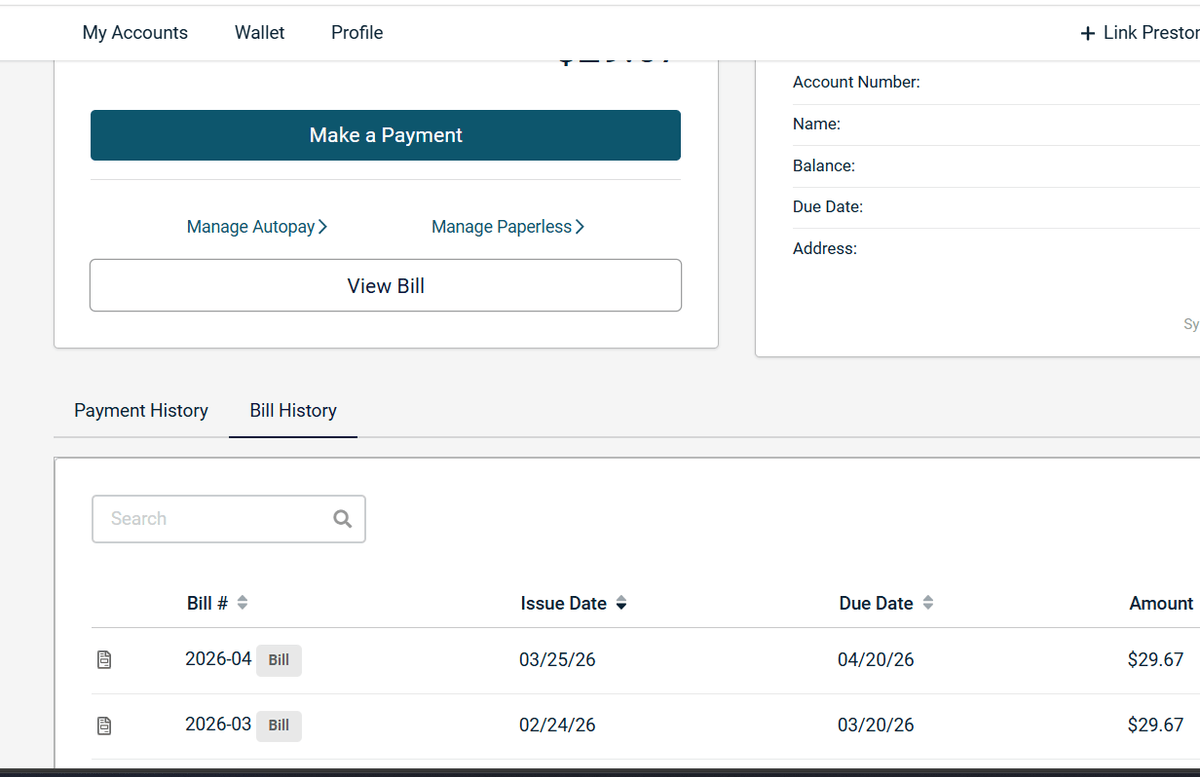
-If you select Bill in the menue under the customer info boxes on the top, this will give you history of bill ( starting from date PSD #4 partnered with Paystar)
-Selecting the little icon next to the month will download the associated bill with that month.
Example of Option 1- From Homepage
Example of Option 2- From Bottom screen